1Download the zip
Go to the home page and press the big
Download button — or use this direct link:
download/snippet-vault.zip (about 300 KB).
The file lands in your Downloads folder.
2Unzip it to ~/snippet-vault
Open a terminal (Terminal on macOS/Linux, PowerShell on Windows) and run:
Windows: right-click the zip → Extract All… → extract to
C:\Users\you\snippet-vault, then open PowerShell in that folder.
Everything after this step runs from inside that folder —
the zip extracts flat, so running commands from your home folder fails with
Could not read package.json.
3Install its dependencies
Still inside ~/snippet-vault:
--omit=dev keeps it lean — exactly what the product needs, nothing else.
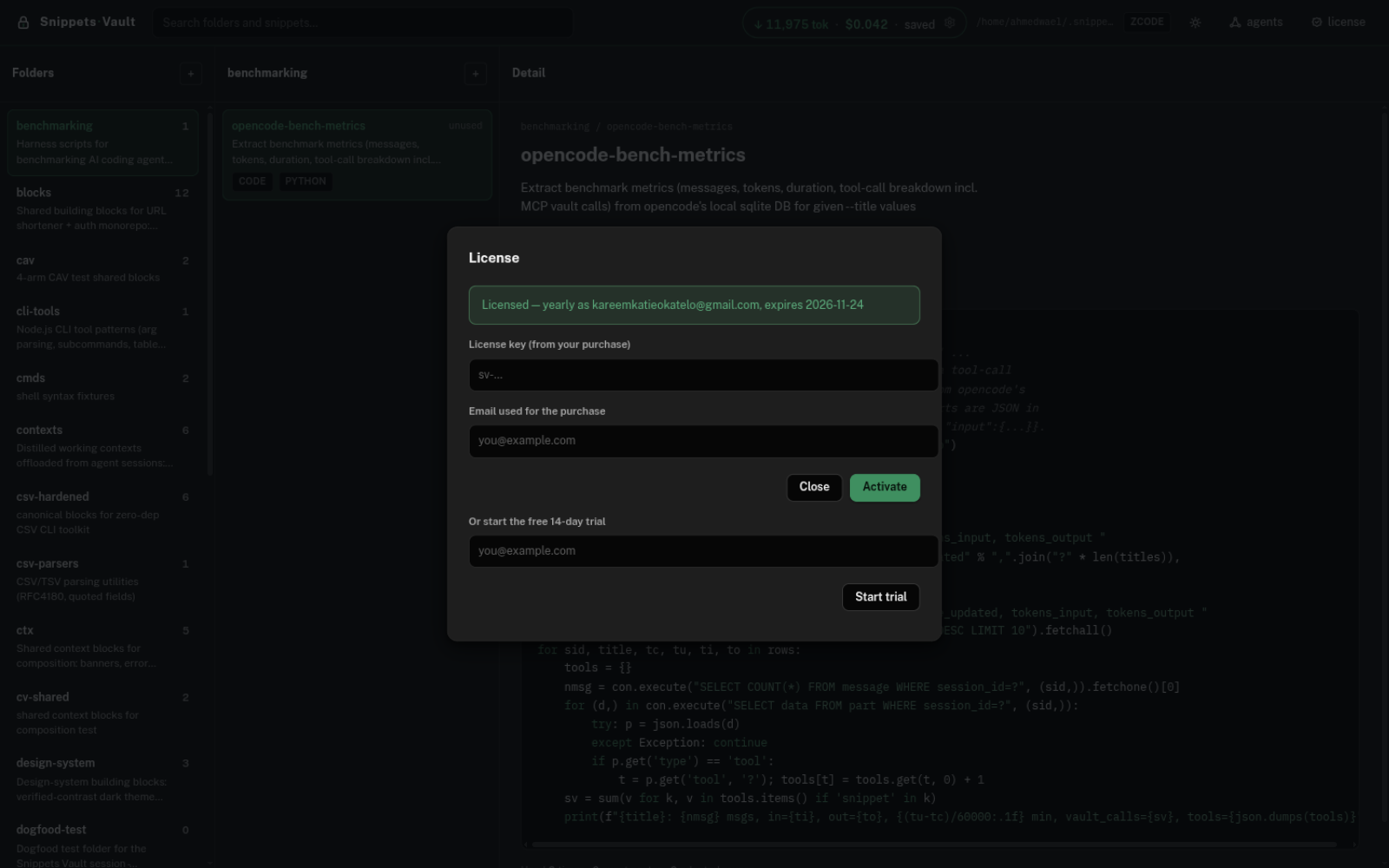
4Start your free 14-day trial
The vault works for licensed accounts. Start the trial with your email — no card, one trial per email, and it works on any machine:
5Connect it to your AI agents
One command looks for every supported agent on your machine (Claude Code, Codex, Gemini CLI, OpenCode, ZCode, Oh My Pi…) and wires the vault into the ones it finds:
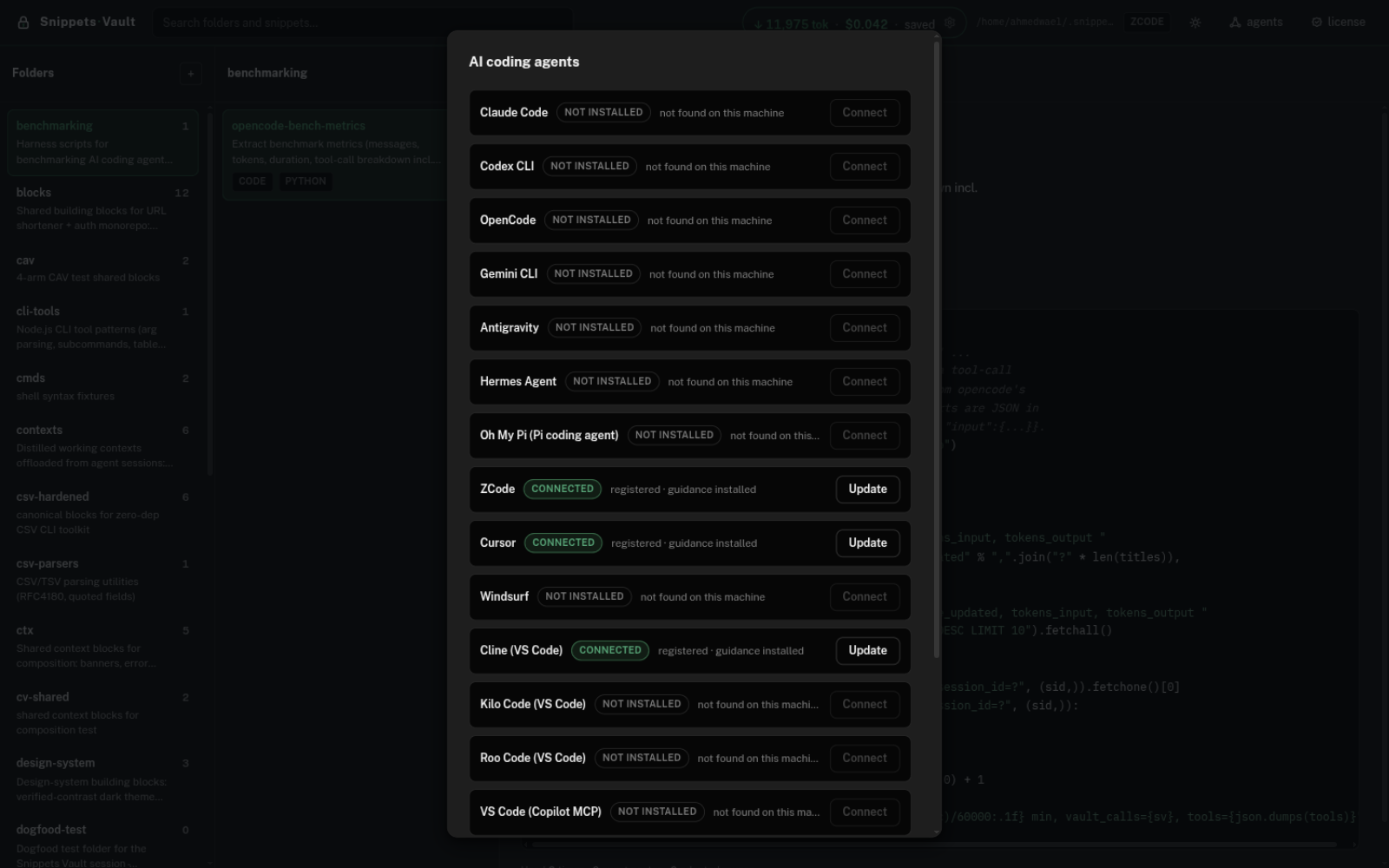
Nothing installed yet? The command prints which agents it looked for, so you can install one and re-run it later. Restart your agent after this step — agent CLIs only read MCP config at startup.
6Open the vault and try it
Start the local web app:
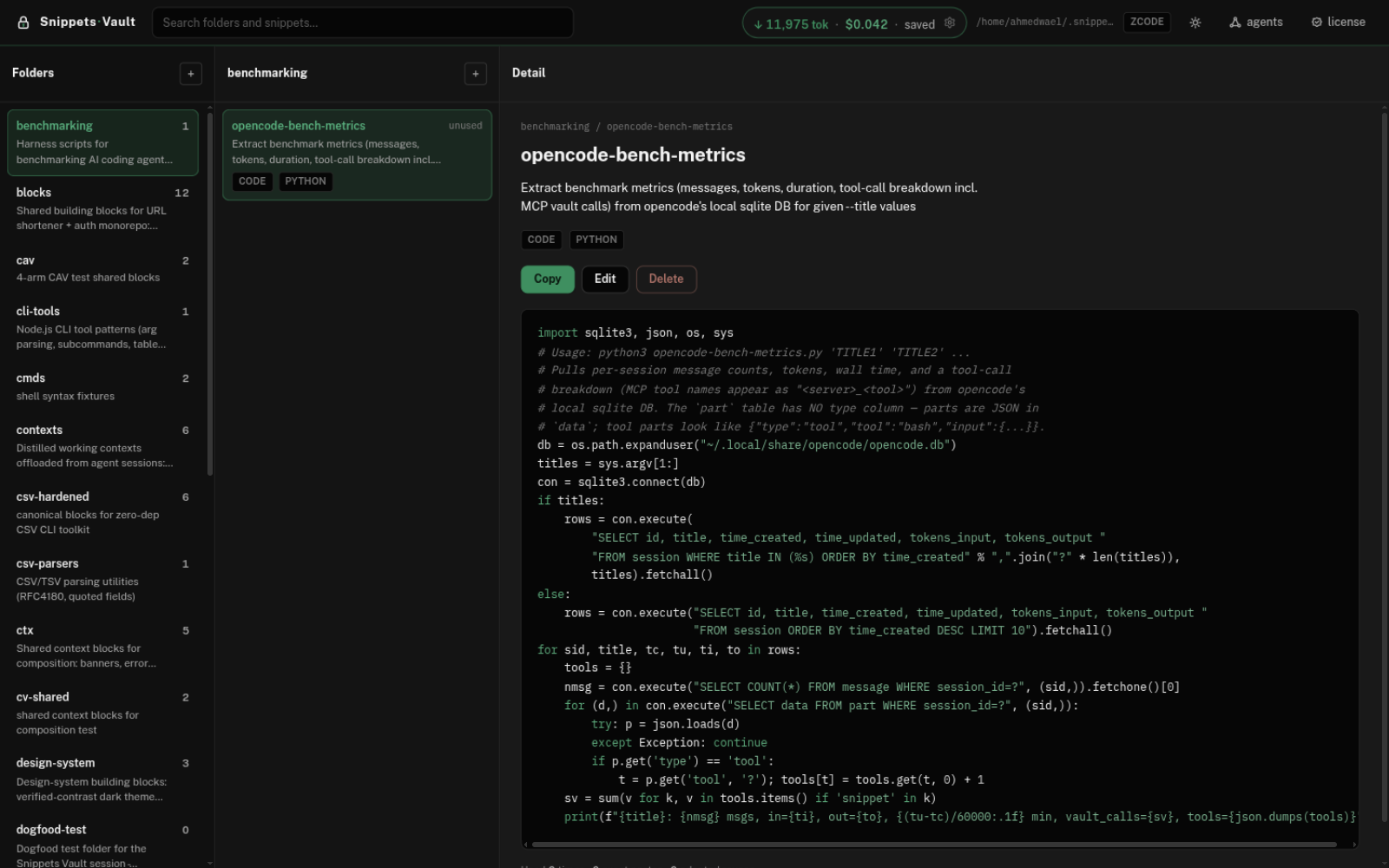
To prove it works end to end, ask your agent in a project folder:
Save this debounce helper to the snippet vault as "debounce-ts" with keywords debounce, timers, typescriptSearch the vault for the debounce snippet and paste it exactlyIf the snippet shows up in the web UI and the second prompt returns the same bytes, the whole loop works: save once, paste exact bytes forever.
?If something goes wrong
- "Could not read package.json" — you're in the wrong folder. Run
cd ~/snippet-vaultfirst: every command after step 2 runs from inside the extracted folder, which the zip creates flat (no extra nesting). - "Cannot find module …/scripts/setup.js" — same cause: the commands
were run from your home folder instead of
~/snippet-vault. - Node.js version warning — Node 22 LTS runs the compiled build;
newer versions (23–26) run the built-in JavaScript tier. Both work. If you ever see a
bytecode error, switch to Node 22:
nvm install 22 && nvm use 22. - Your agent says "/mcp failed" — either the agent wasn't restarted
after step 5, or this install isn't licensed yet. Run
node scripts/license.mjs status; if it says no license found, start the trial or activate your key, then restart the agent. - The site looks stale — hard-refresh with Ctrl+Shift+R (⌘+Shift+R on macOS) to bypass the cache.
- Antivirus complained — the shipping build rewrites its own code at
build time (anti-tamper). Compare your download's SHA-256 with the value published in
version.json; the guide lists the vendor false-positive forms.
Every installer run is logged to ~/.snippet-vault-install.log —
include it if you ask for help.
✓That's the whole install
Six small steps, about two minutes, no account needed for the trial — and one license key works on every machine you own.
Download Snippets Vault Read the user guide